Bandhan
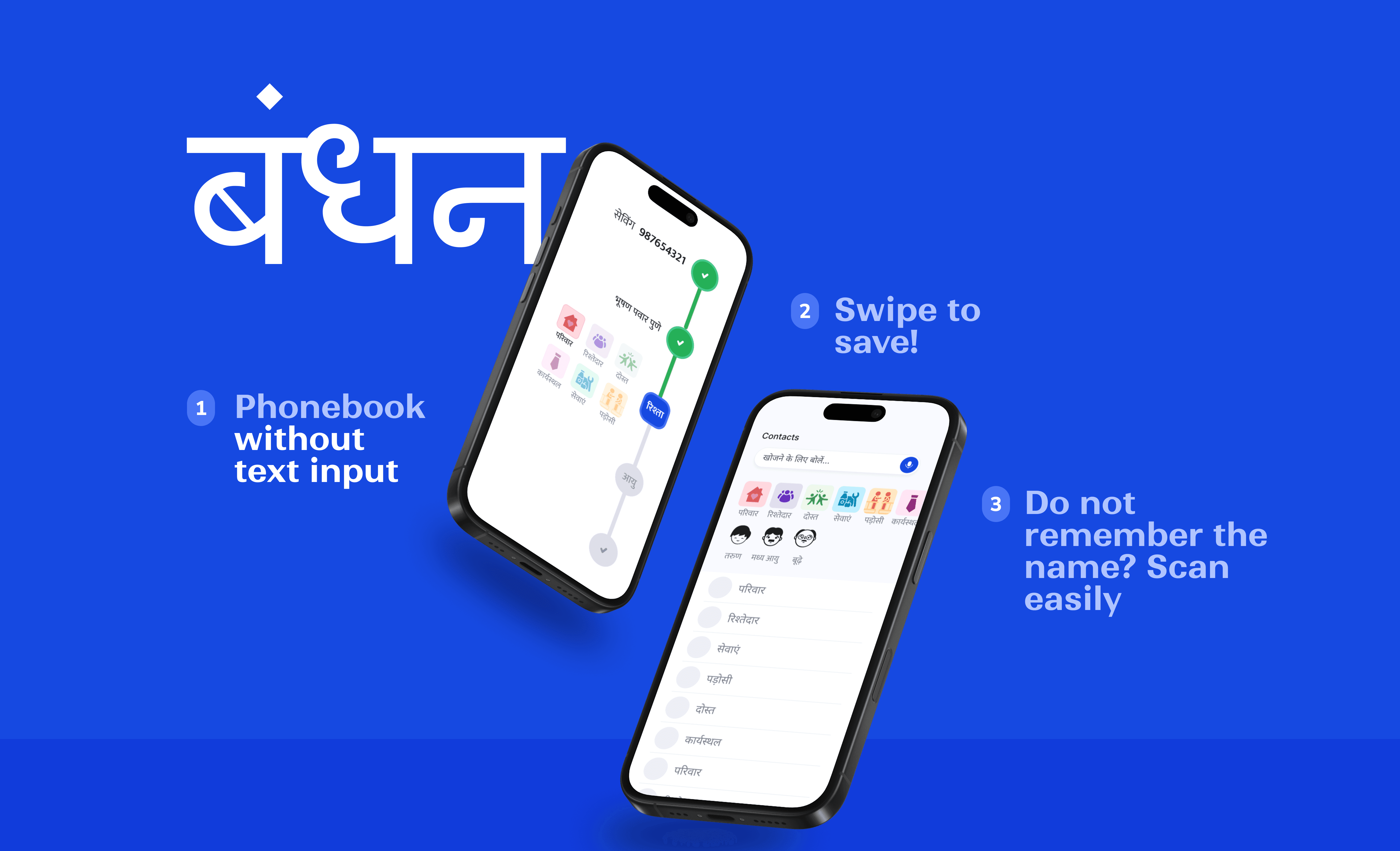
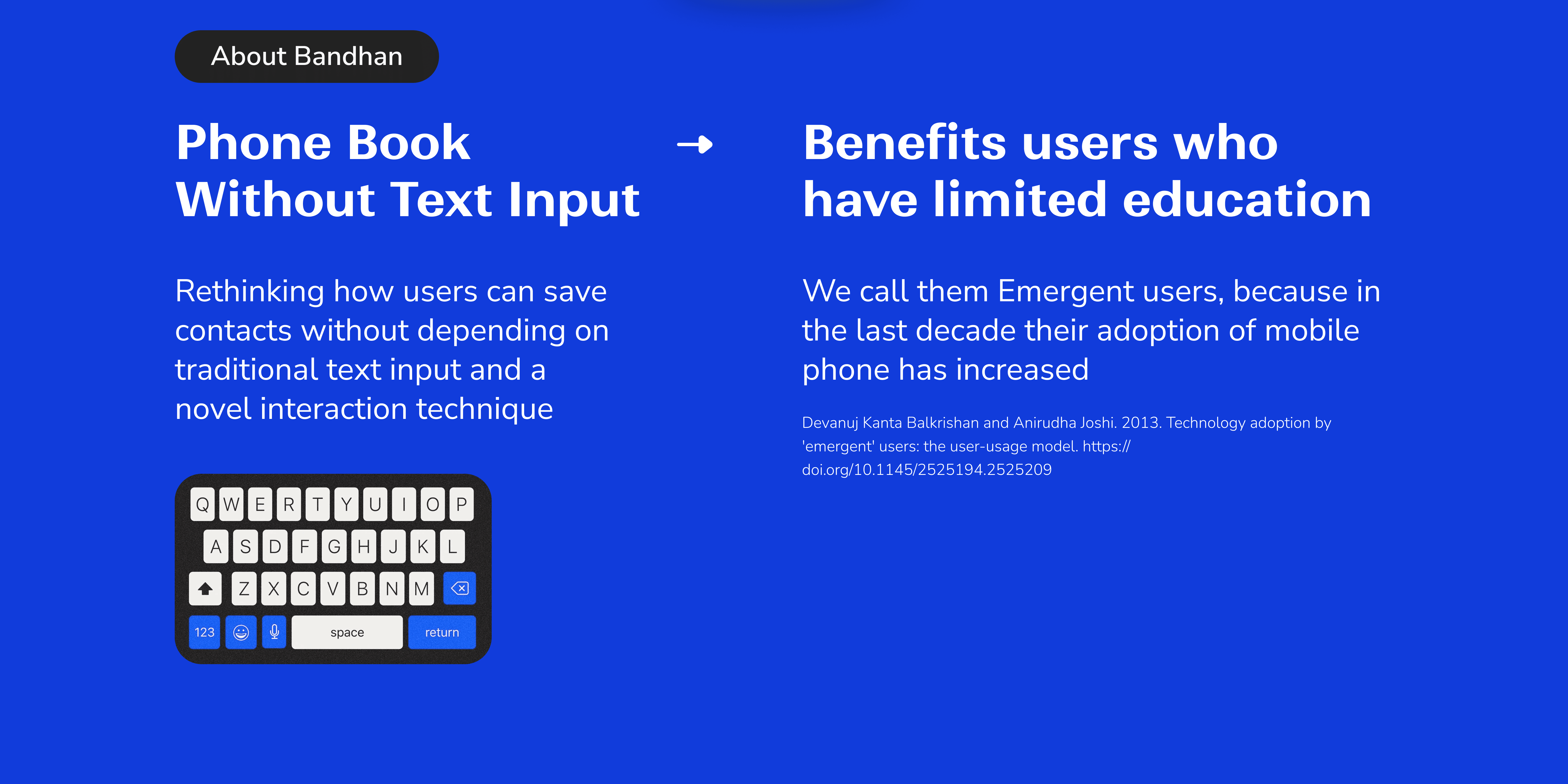
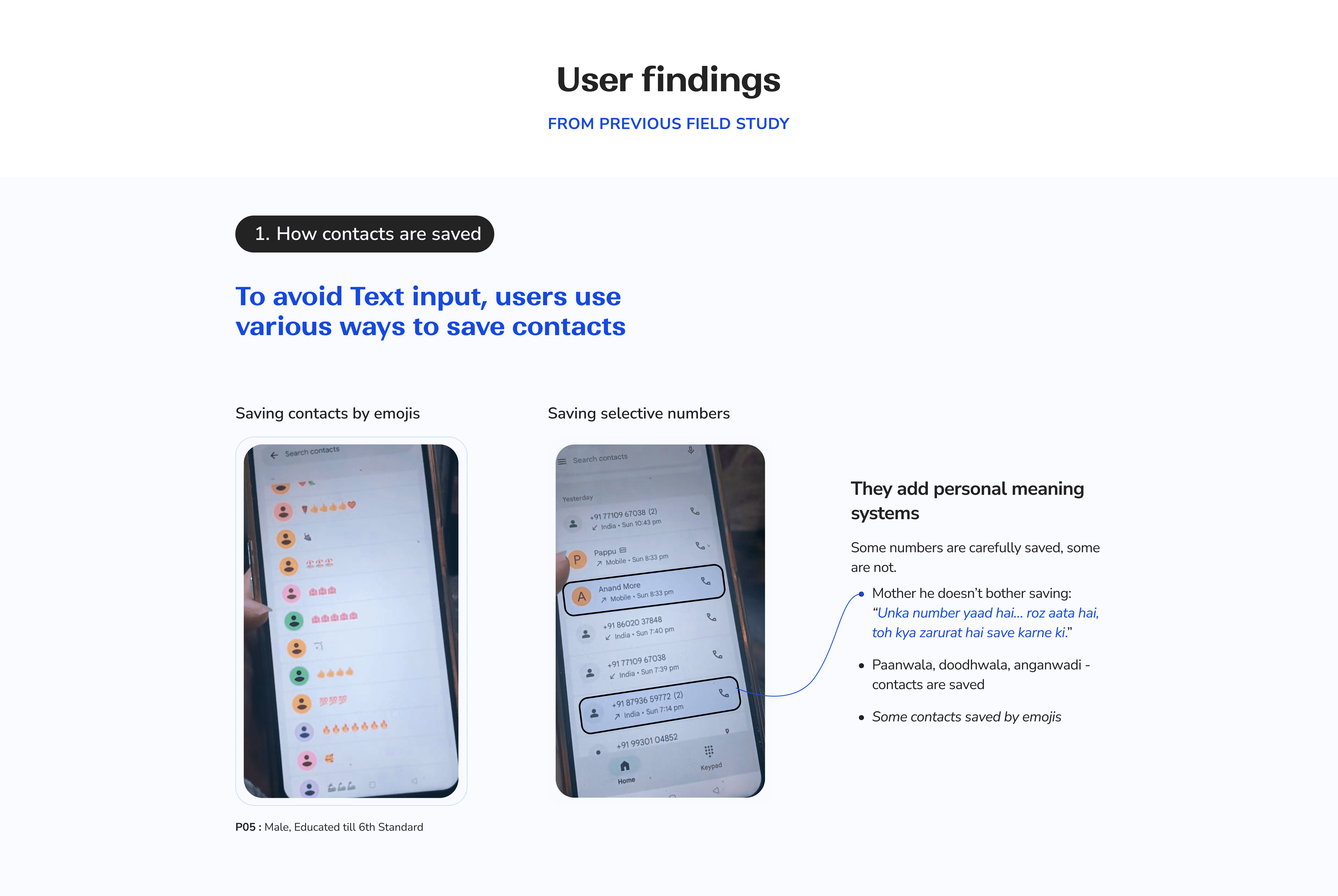
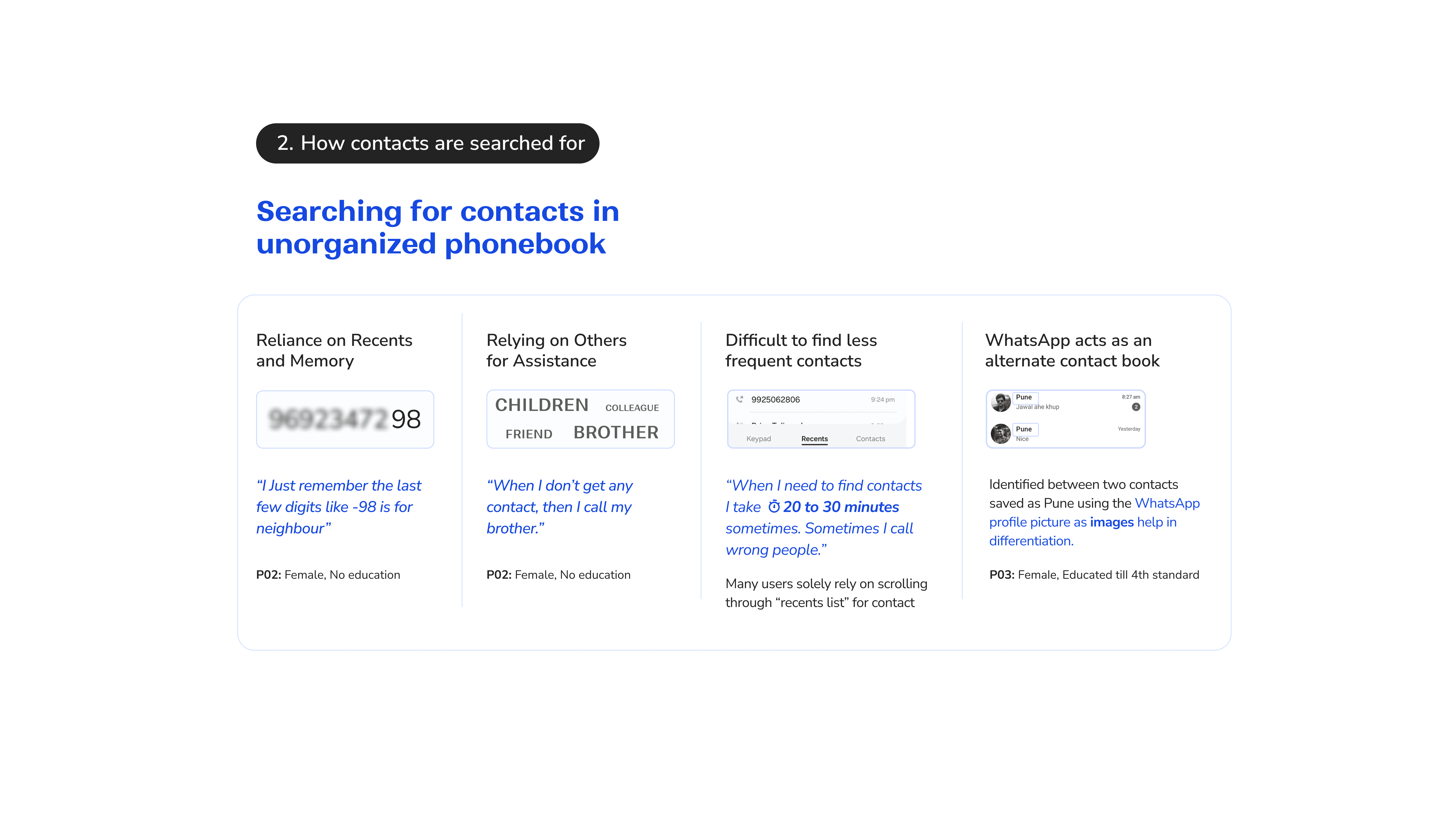
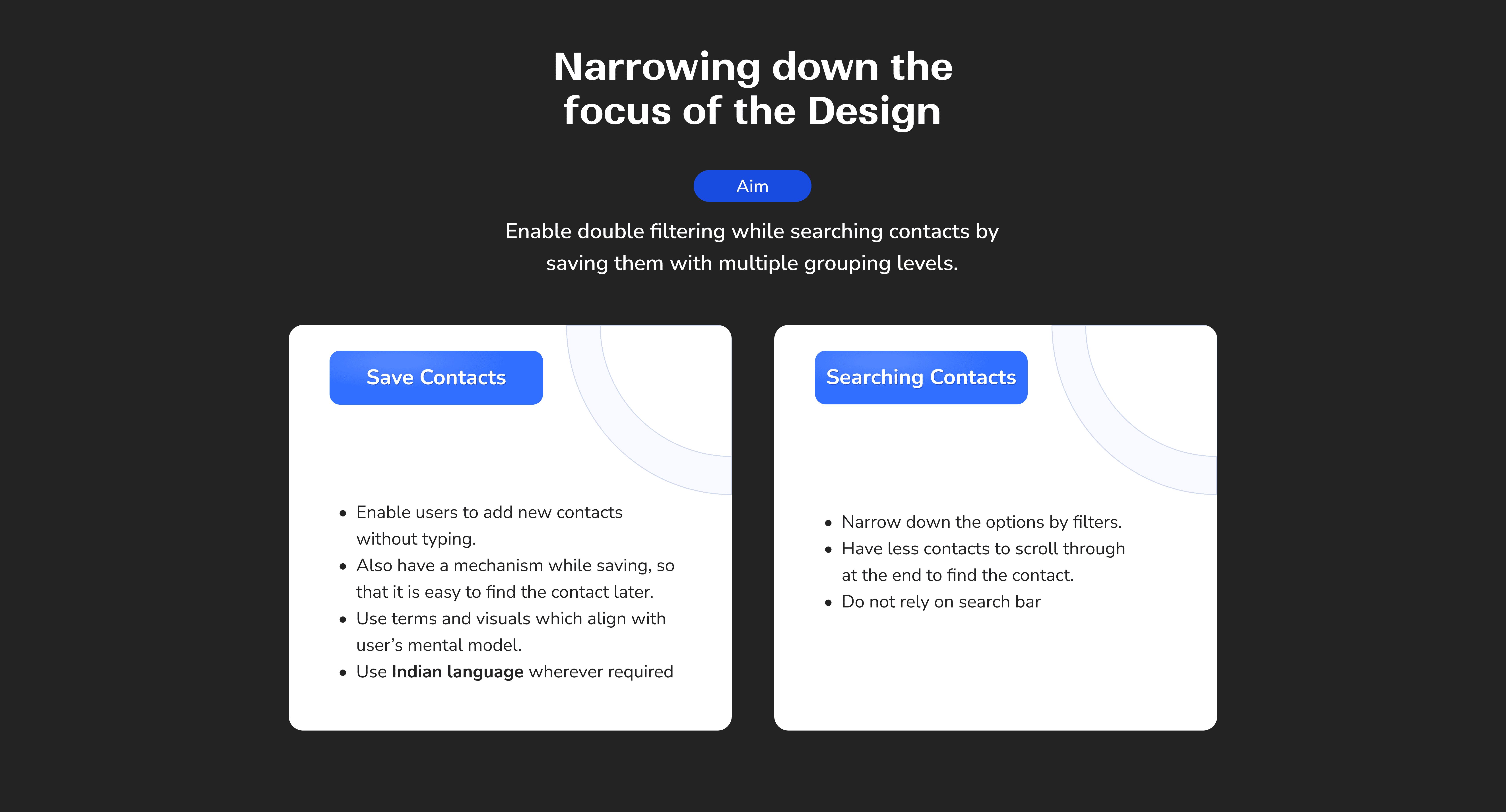
Rethinking how users can save contacts without relying on traditional text input. This project explores novel interaction techniques, flows and alternative ways of contact creation to support users with limited literacy and digital experience.
Scope
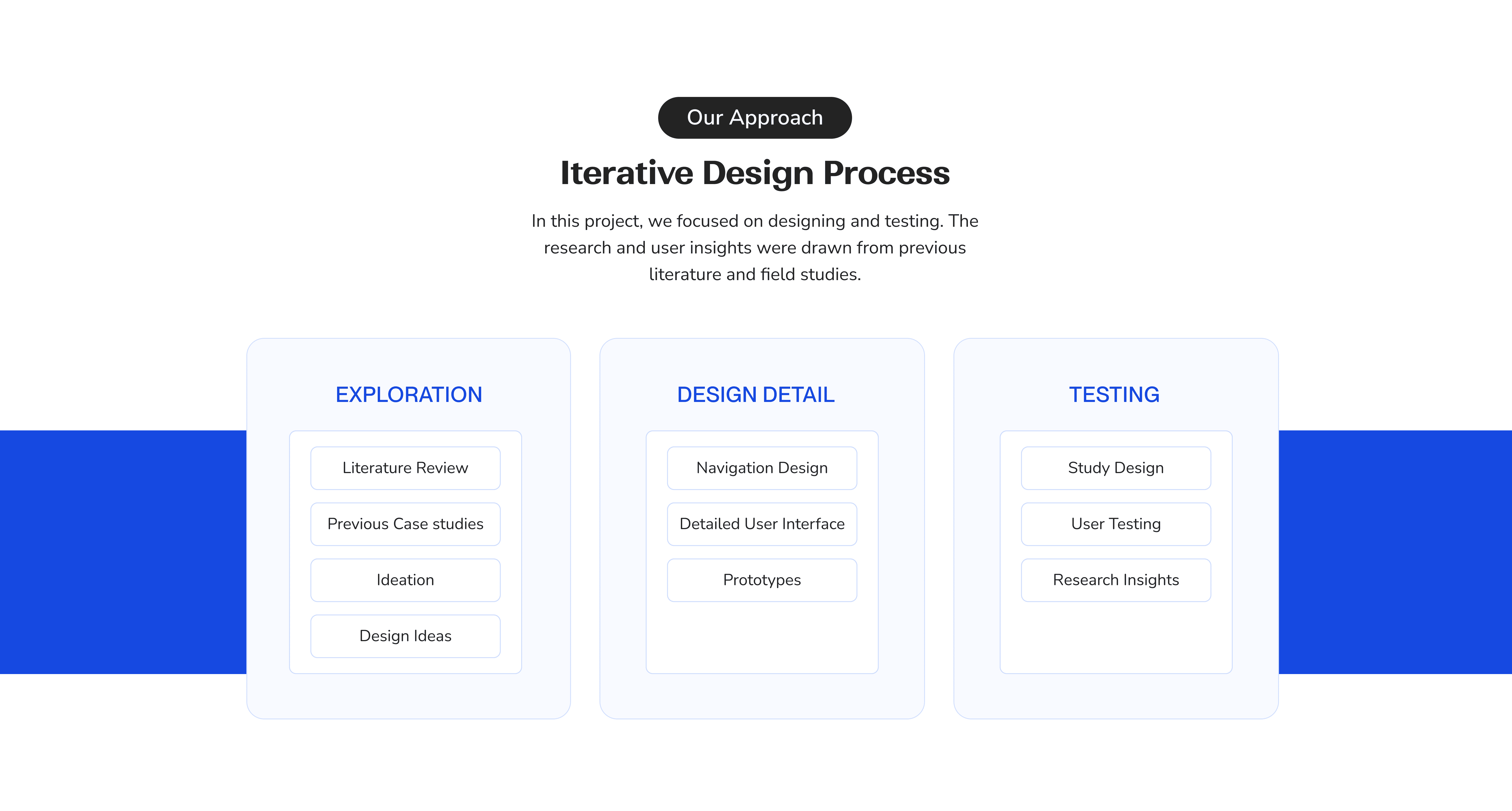
Interaction Techniques, UX/UI Design, Iterative explorations, Prototyping
Timeline
February 2025, 2 weeks
Project Details
Team Project
Initial Concepts

exploration 1
Database Saving
Our concept
The initial name is taken from a central database available. (Just like trucaller)
Additional changes are suggested if a user wants to change the name while saving from database:
For example: 01 name, name+ profession, name + location
These can act as different prioritisation strategies while searching for contacts.
Areas of improvement
Relies on database accuracy, mismatched names may cause confusion or misidentification.
exploration 2
Handwriting Recognition
Our concept
Handwriting recognition feature (mental model of a diary)
Write one character at a time for having bigger area to write with finger.
Use “ - ” for space between words, scribble to go back
Swipe up to save
Areas of improvement
May work for users with basic writing skills, but could be difficult for those who are not literate or unfamiliar with writing on phones.


exploration 3
Voice input with adding Image
Our concept
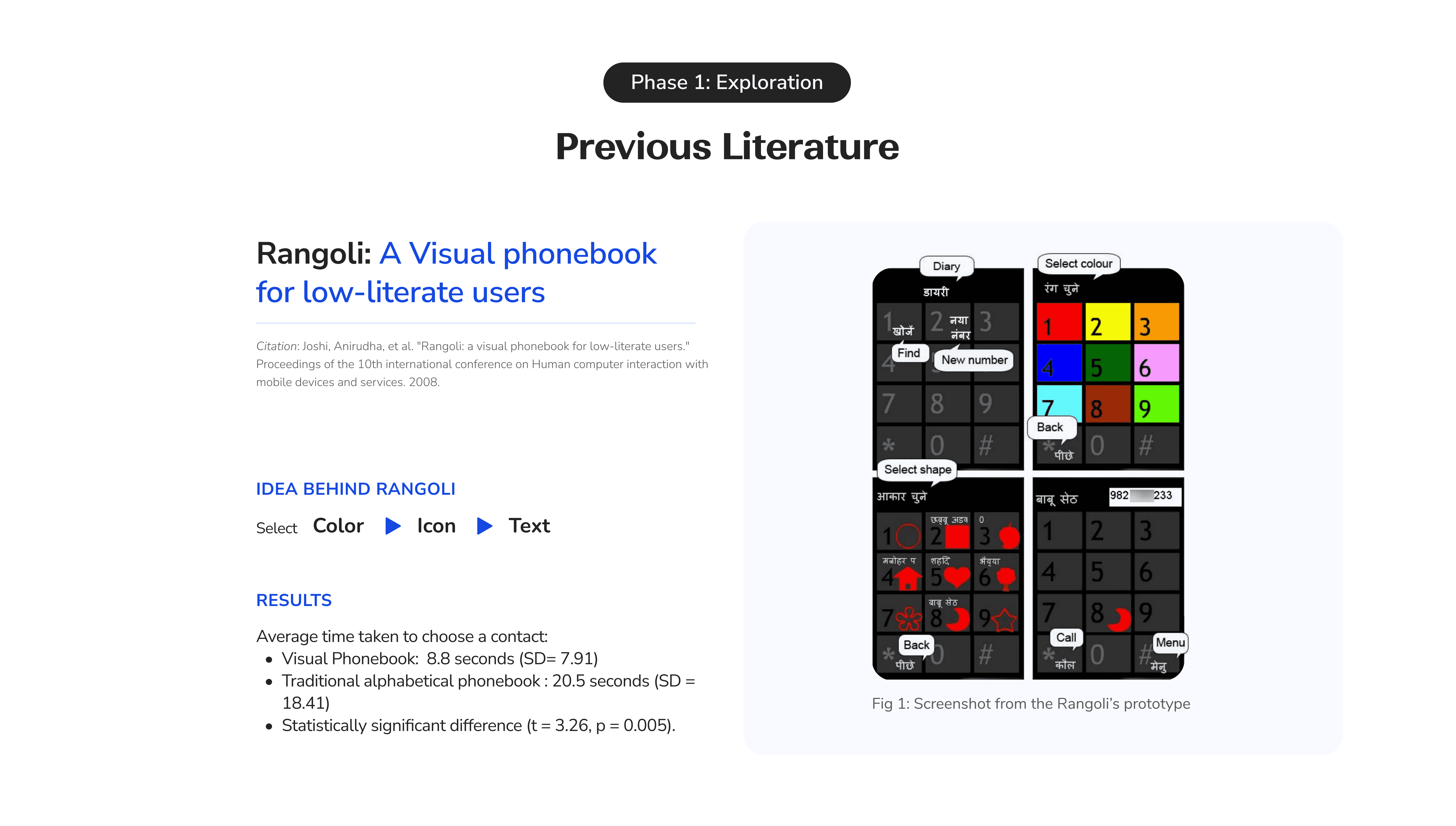
Finding a contact using an image reduces reliance on text comprehension.
Users can easily save a contact and add an image by directly accessing the gallery.
Areas of improvement
Users need an image that represents the contact. For infrequent or utility contacts, a suitable photo may not be available.
exploration 4
Voice input with grouping
Our concept
Grouping will help in locating the contact later.
Voice Input:
Easy swipe up to start saving.
Voice input starts directly and name is herd.
Photo is directly taken from database
Areas of improvement
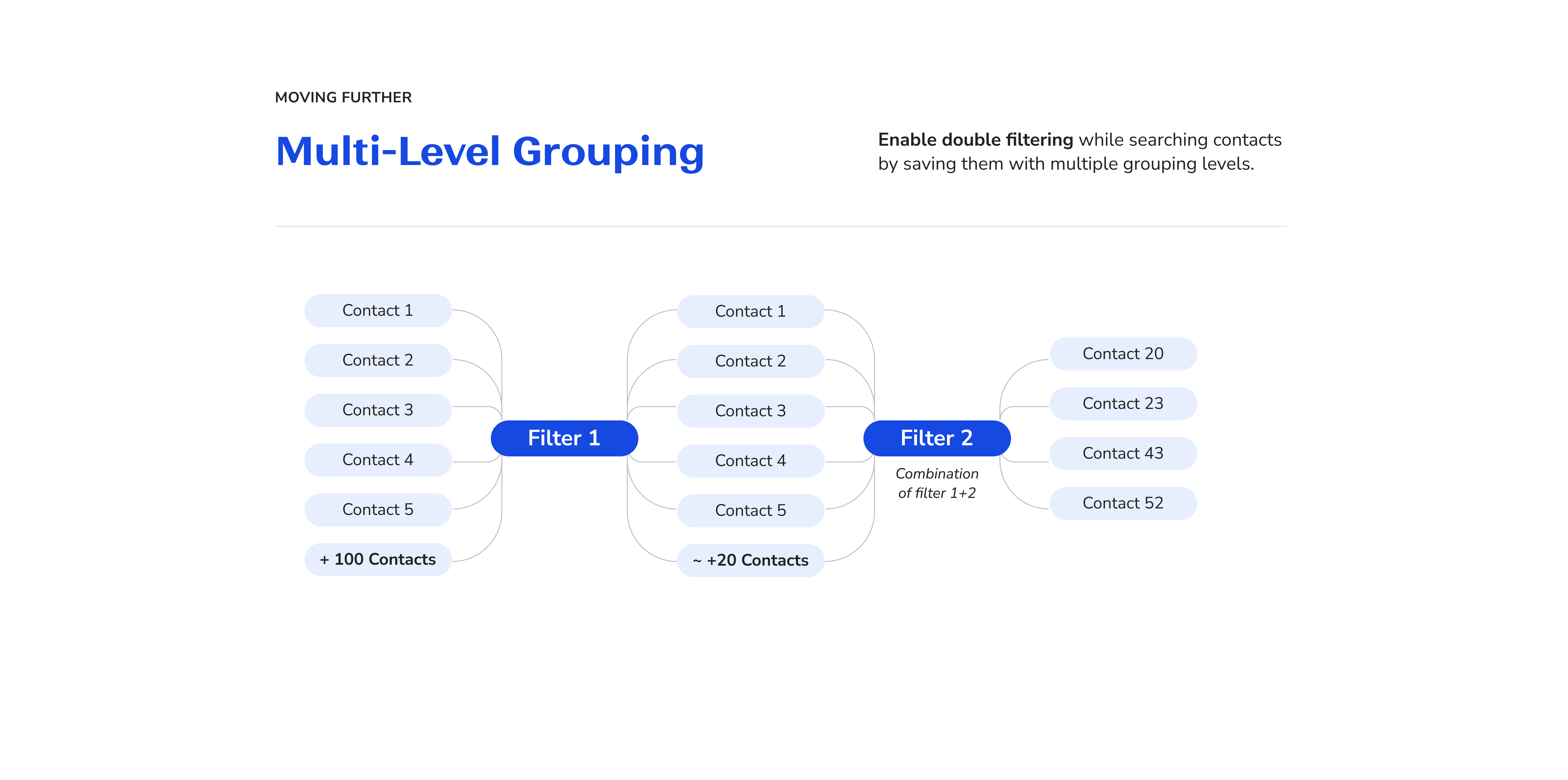
A single layer of grouping with only three filters may not be sufficient for easily narrowing down contacts.

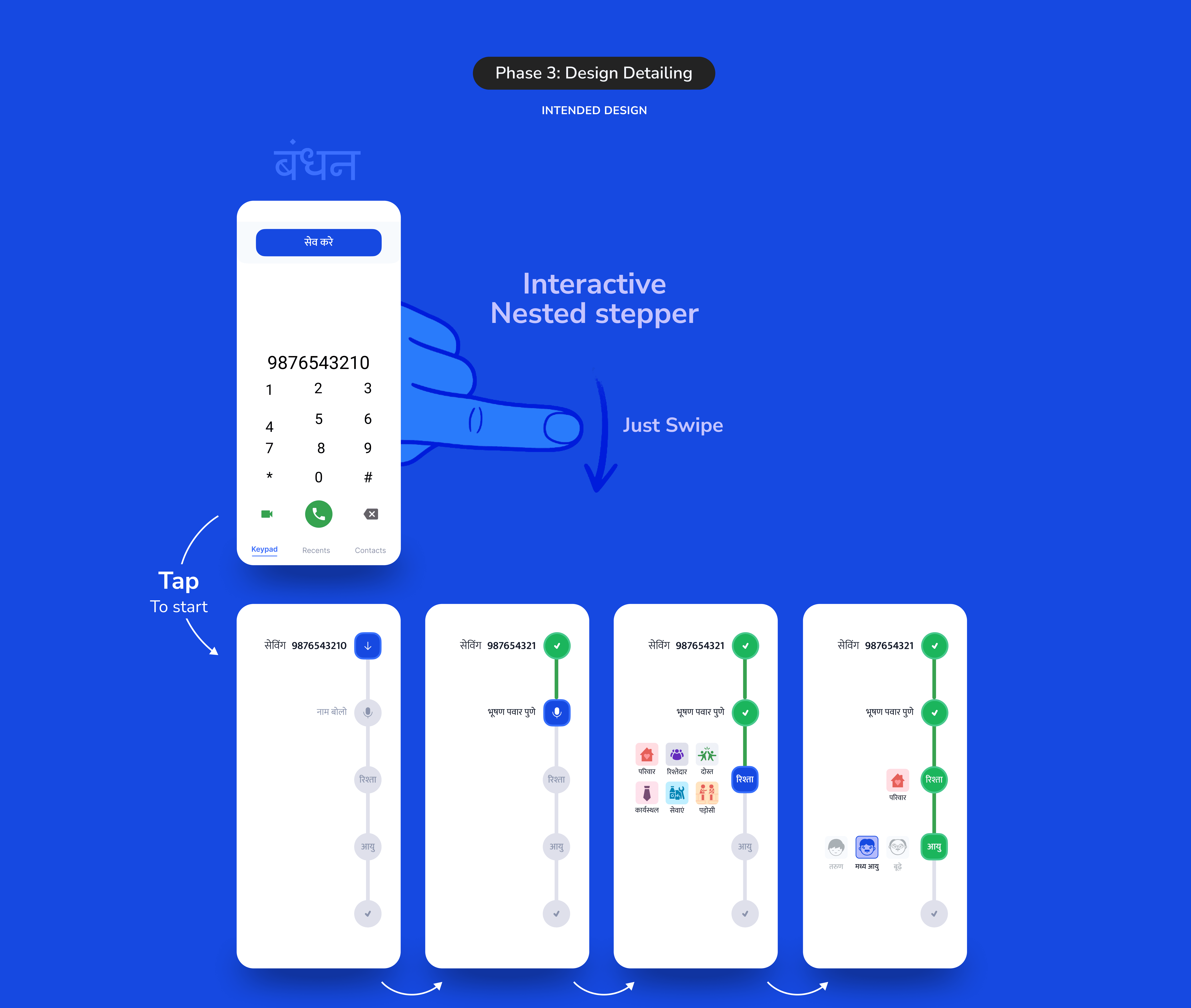
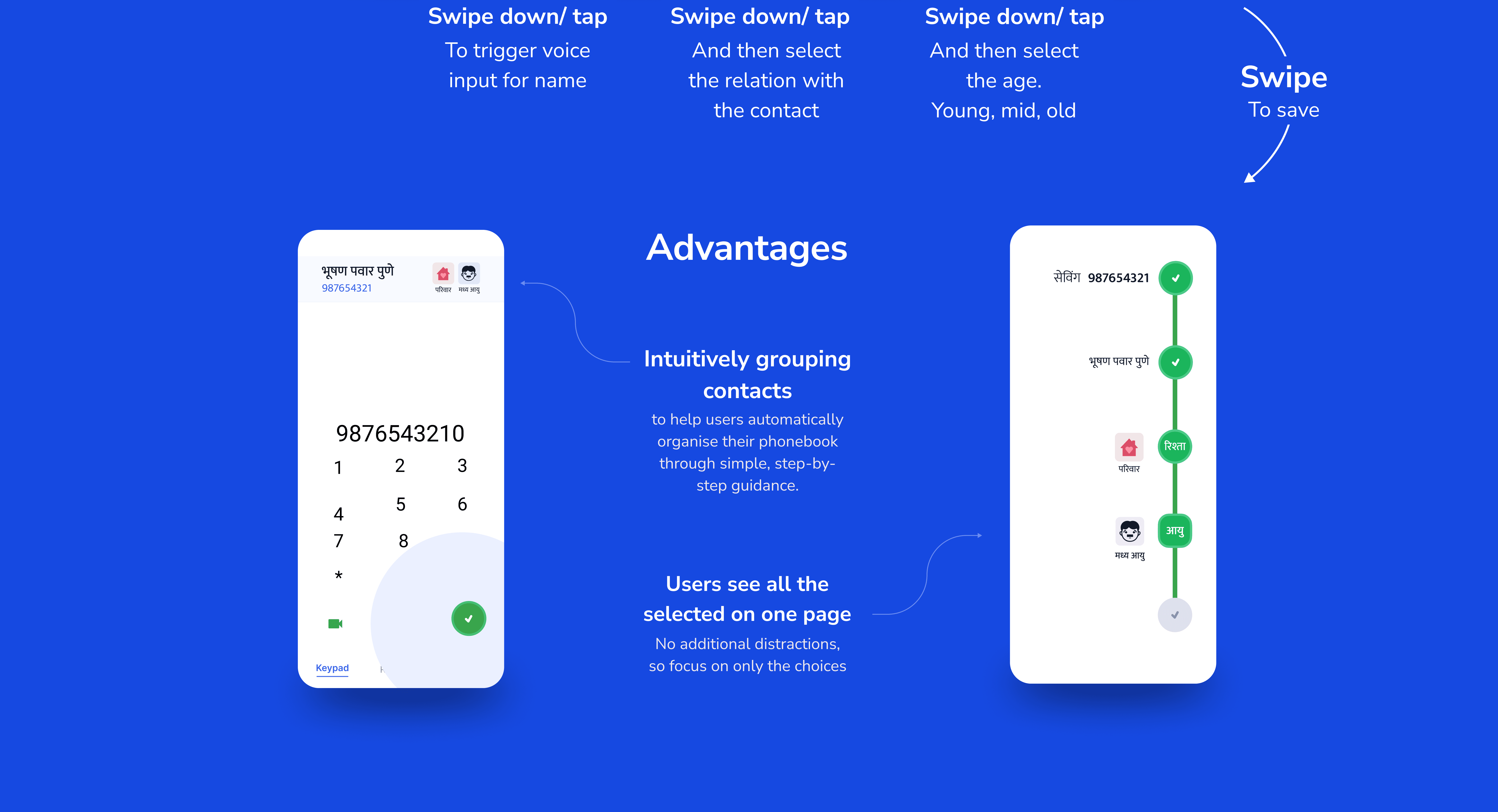
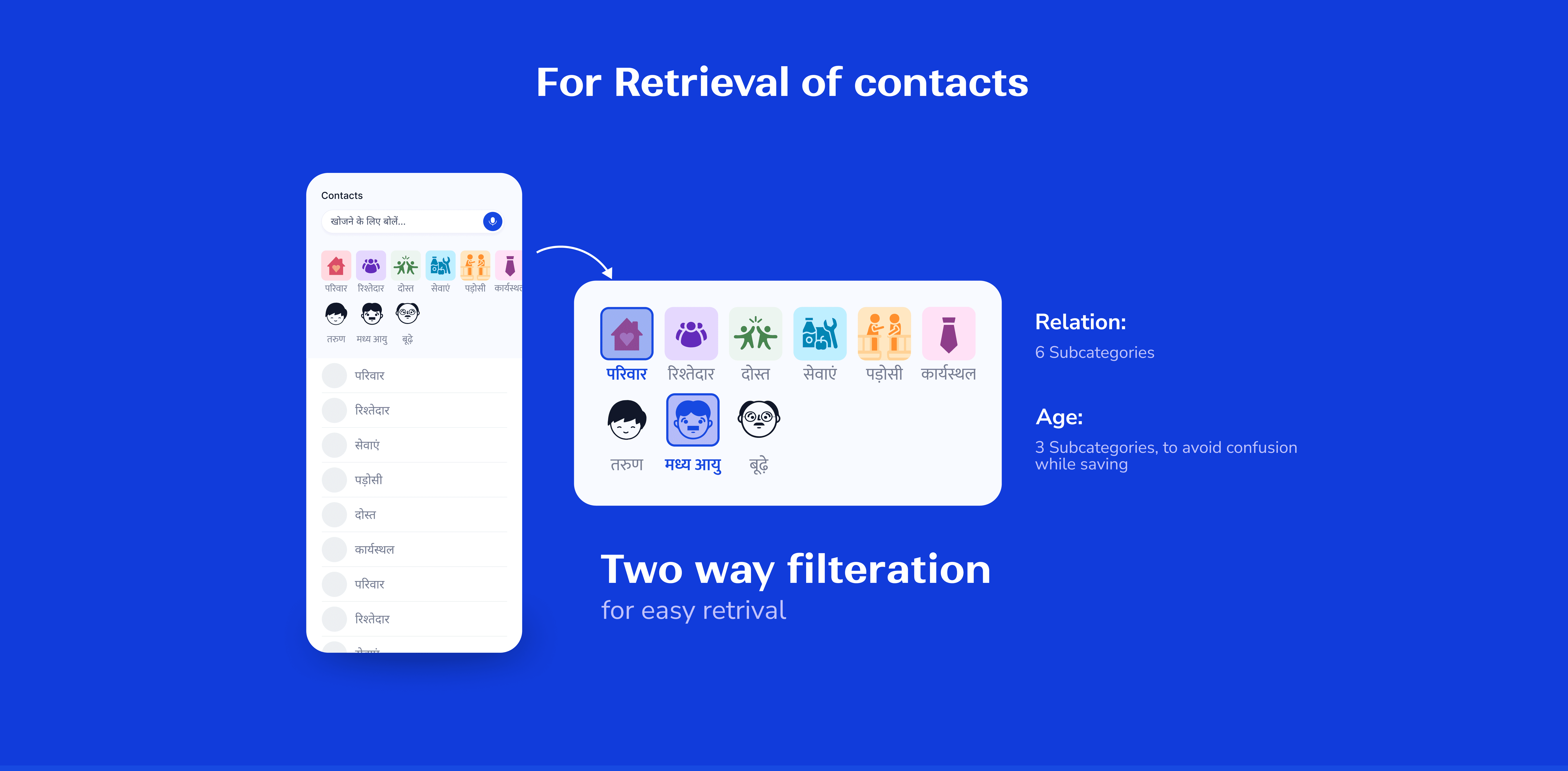
Design Detailing
Prototyping
Tools Used:
Figma

Protopie


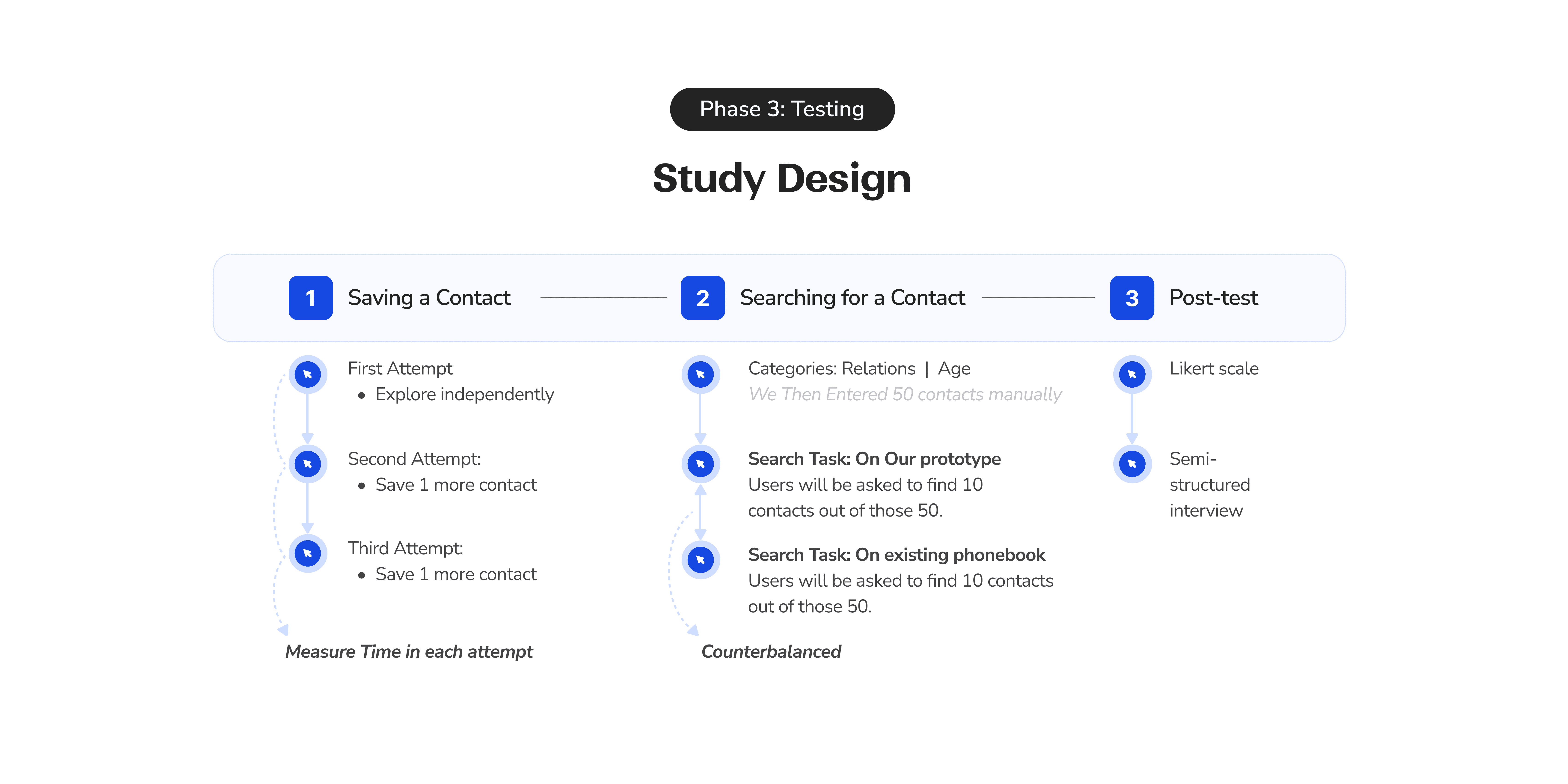
User Sample
50
contacts
per user
5
Users
Inclusion criteria:
Users who are educated less than 10th standard.
All female study
In collaboration with Krishna